Anything but inaccurate!
morphcad
Compatibility
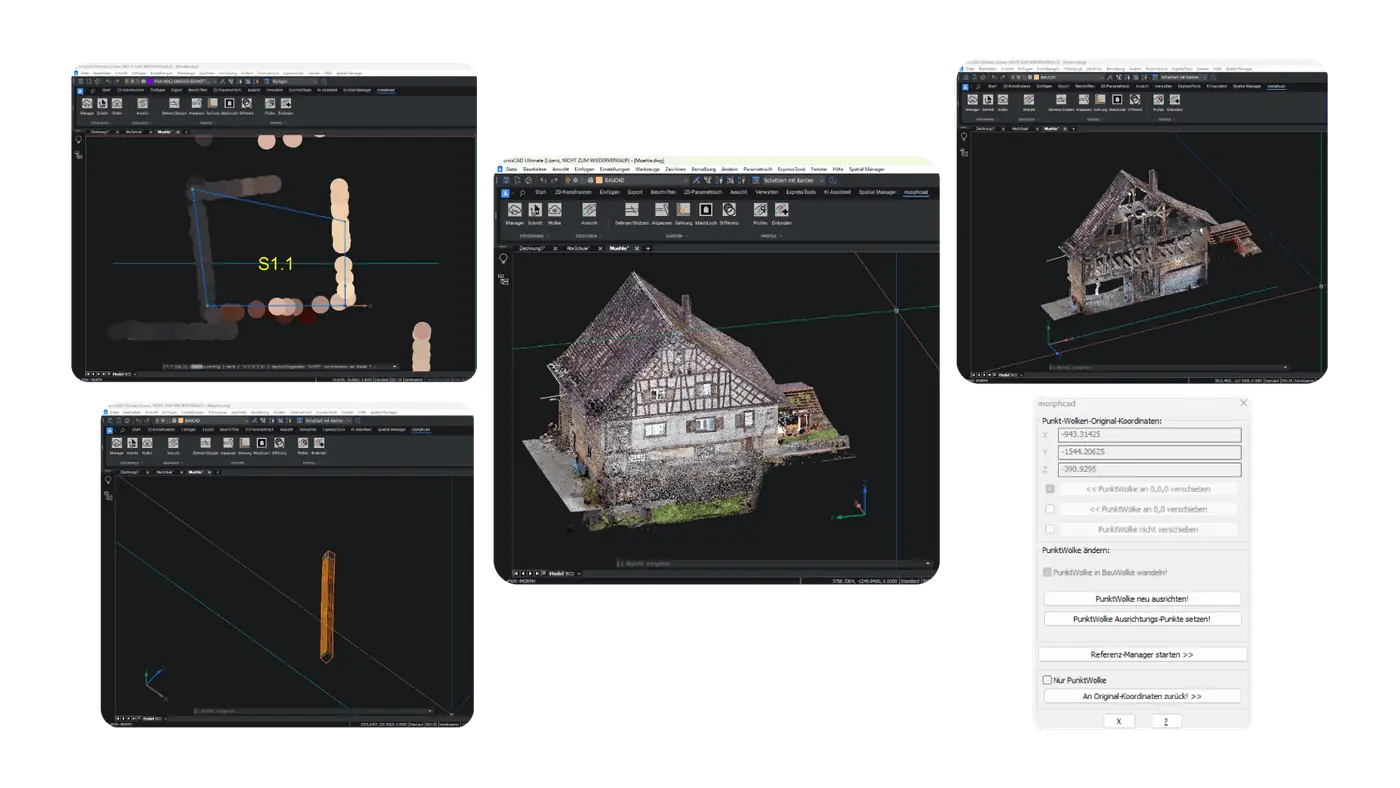
morphcad – precise modelling from point clouds. Create detailed models from point clouds with 11 intuitive commands. The software integrates into BricsCAD and boosts productivity.
morphcad
For which customers?
Surveyors, architects and planners working on existing buildings who create precise 3D models from point clouds in BricsCAD.
- Point cloud to 3D model
- Renovation & as-built
- 11 intuitive commands
morphcad
Highlights
Manager
Opens the context menu for importing the point cloud file into the CAD program.
Section
Places a section in the 3D object with any variable section depth.
morphcad
Features
Cloud
Toggles the point cloud on and off in the view. Helpful, for example, to see more clearly what you have drawn while modelling.
Morph
The core command of morphcad. It starts modelling a deformed component and then guides the user through the remaining steps to create a 3D solid.
Extend/Trim
Use this command to lengthen or shorten modelled 3D solids – for example up to a user-defined point or up to another solid.
Cross-selling for your customers
Works well with morphcad
 BricsCADAny customer working DWG-based in 2D and 3D – from design offices to mechanical engineering. Ideal for users switching from AutoCAD®.CAD platform →
 BauCaDArchitects, structural engineers and contractors who turn point clouds into 2D plans and 3D models efficiently.Add-on →
 CADprofiHVAC, plumbing, electrical, architectural and mechanical engineers – with ready-made symbol and manufacturer libraries.Add-on →
 Spatial ManagerPlanners, municipalities and utilities who import geodata into their CAD, transform it and export it again.Add-on →